Leave a home network that someone else can maintain
A short household network record can turn a mysterious collection of boxes into a system another person can understand and recover.
The network should not depend on one memory
In many homes, one person knows which box is the router, why a cable runs behind the television, and what to do when the internet stops. The arrangement works until that person is travelling, busy, or no longer available. Then a routine interruption becomes a series of guesses. A small network record reduces that dependence. It does not need to explain every protocol. It needs to help another person identify the equipment, recognise the expected state, and take a few safe actions.
Begin by asking what someone would need during an ordinary outage. Which provider supplies the connection? Where is its account reference kept? Which device can be restarted, and which equipment must not be disturbed? What services depend on connectivity? A useful record answers those questions in plain language. It also says when to stop and ask for help. Good documentation protects a working setup from well-intentioned experimentation as much as it helps repair a broken one.
Identify the boxes by their jobs
List the equipment in the path from the provider's connection to household devices. Depending on the service, this may include a modem or optical network terminal, a router, switches, and wireless access points or mesh nodes. A single unit can perform several jobs. Use the actual model documentation to identify it rather than relying on its shape or the number of antennas. Record the make, model, physical location, and purpose of each relevant device.
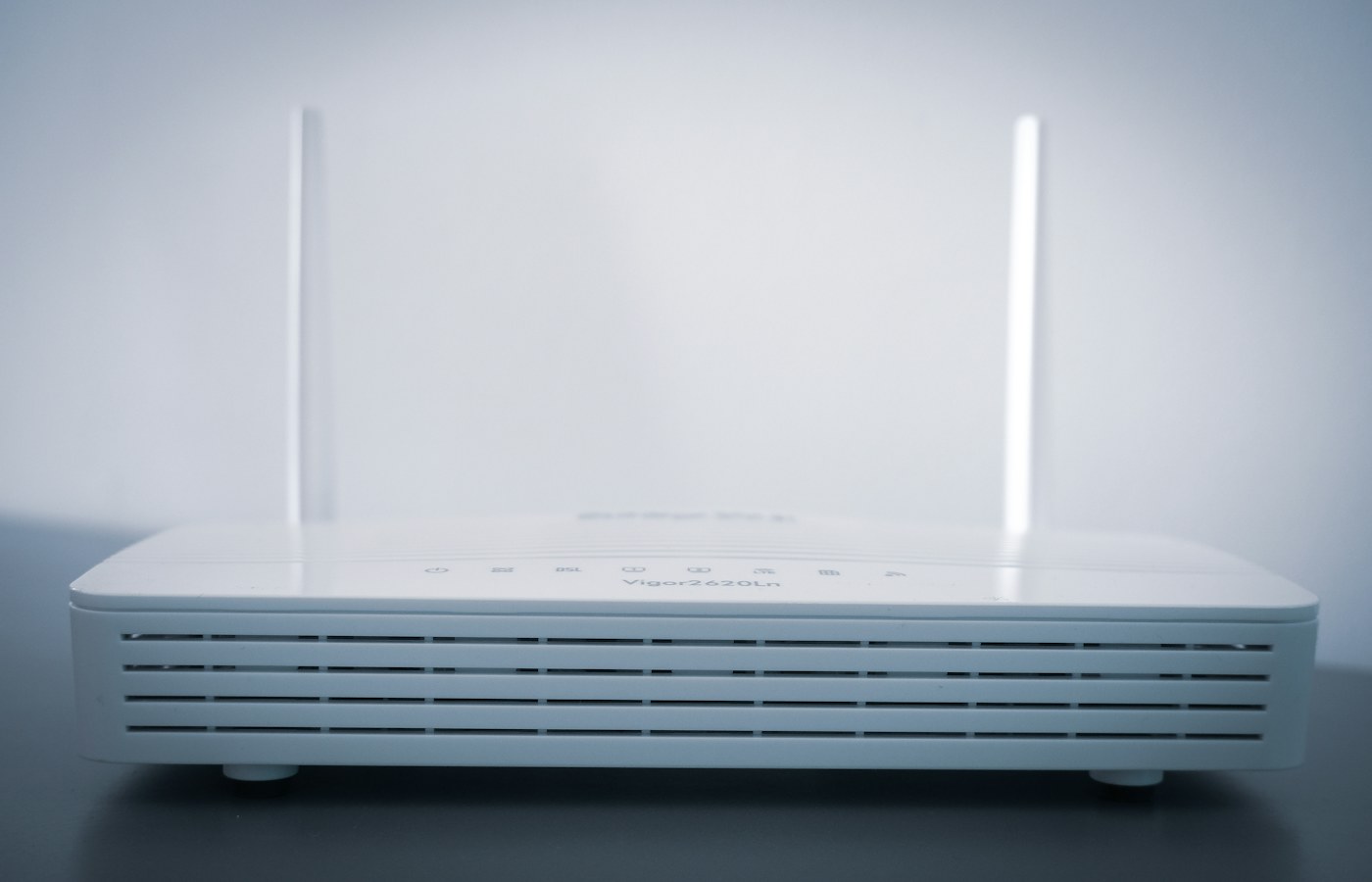
Add a simple photograph showing the equipment in place if it will help identification, but avoid including passwords, account details, or other sensitive labels in a widely shared copy. A description such as white router on the hall shelf is more useful during an outage than a model number alone. If two devices look similar, give them clear location names. The record should match the house as someone experiences it, not only the vocabulary used in a settings page.
Trace and label the important cables
Follow the cables you can safely reach and note what each connects. Label both ends of important Ethernet cables with a location or purpose. Do not pull on unfamiliar cables, open provider equipment, or disturb fibre connectors to satisfy curiosity. Follow the provider's instructions for equipment that belongs to it. A record can say provider connection, do not disconnect where that is the appropriate boundary. Not every component needs to be handled to be documented.
Avoid labels that become meaningless after a small change, such as first cable on the left. A name like router to study switch describes a relationship that remains understandable. Keep power adapters with their correct equipment and do not assume similar plugs mean interchangeable electrical specifications. If you need to replace an adapter, use the manufacturer's requirements and a suitable supported replacement. Network troubleshooting should not introduce a power supply problem.
Separate ordinary access from administration
Household members may need the Wi-Fi name and password without needing the router's administrator credentials. Keep those roles separate using the device's supported features. Store administrative access securely and make it available only to appropriate people. Do not write the main administrator password on a note intended for visitors. If the router offers a guest network, document its purpose and limitations so people understand which devices should use it.
The record should say where credentials are kept rather than copying them into every troubleshooting sheet. A secure password manager or another suitable household arrangement can provide controlled access and recovery. Review who can recover the account if the usual administrator is unavailable. If the network is managed by a landlord, employer, or service company, record the contact process and respect that management boundary. Physical access to a router does not automatically mean authority to change it.
Describe the normal state
Record what normal operation looks like for the equipment you have. Indicator colours and patterns vary, so use the manufacturer's documentation and avoid universal claims about what a blinking light means. A photograph taken while the connection is working can be a helpful reference. Include the date because firmware updates or equipment replacements can alter the interface. The description should help someone notice a difference, not encourage them to diagnose every problem from one light.
List the household services that rely on the network, such as work calls, streaming, a printer, or selected smart home functions. Be especially clear about any system with important consequences if disconnected. Do not assume a connected alarm or access system continues working in the same way without the internet. Follow its provider's guidance and keep its support details separate. A convenience network checklist is not a substitute for the operating instructions of a safety-related service.
Write a first response that preserves evidence
A sensible first response begins with observation. Is the problem affecting one device or several? Can a device reach the router but not the internet? Does the provider report an outage through an official channel? Record the time and any messages before changing settings. If only one laptop has a problem while other devices work, repeatedly restarting the whole household network may create more disruption without addressing the fault.
Keep any restart procedure specific to the installed equipment and provider guidance. Explain which device to restart, how to do it safely, and how long normal recovery can take according to its documentation. Do not recommend a factory reset as an ordinary first step. A reset can erase settings and turn a temporary outage into a configuration task requiring credentials or provider support. Make the difference between restart and reset explicit because the words are easy to confuse under pressure.
Keep configuration changes traceable
Use a short change log for meaningful adjustments: date, device, setting changed, reason, and observed result. This is particularly useful for wireless names, address reservations, parental controls, guest access, and device placement. A log does not need every click. It needs enough information to explain why the network behaves as it does and, where appropriate, how to return to the previous supported arrangement. A change made to solve a temporary problem should not become permanent through forgetfulness.
If the router supports a configuration backup, follow its documentation and store the file securely. Such files can contain sensitive settings and may only restore correctly to compatible hardware or software. Note the model and version alongside the backup. Do not assume a backup removes the need to understand the provider's setup process. Test recovery only when you can do so safely and have a plan for restoring service; an important workday is a poor time for an experimental reset.
Plan for a replacement without overplanning
Equipment eventually fails or becomes unsupported. Keep purchase records, warranty details, provider ownership information, and links to official support pages. Know whether the provider must activate replacement equipment or whether a particular connection method is required. A household can lose time buying a device that is technically capable but unsuitable for the service arrangement. Confirm compatibility through the provider and manufacturer rather than inferring it from a product description alone.
You do not need a spare for every box. Decide which interruption would be most disruptive and what realistic fallback exists. Mobile connectivity may support a short work session if coverage, account terms, and data allowance permit. It may not support every household service. Write down the limitation instead of calling the fallback equivalent to the main connection. A practical plan should make the next hour manageable, not promise uninterrupted service that the household cannot actually provide.
Review access and privacy periodically
Remove accounts and guest access that are no longer needed through supported controls. Check whether remote administration is enabled and whether it is necessary. Use the manufacturer's security guidance for updates and account protection. Avoid exposing management interfaces to the internet simply to make occasional maintenance more convenient. If remote support is needed, use an approved method and understand who can access the network and how that access is revoked.
Be careful with diagnostic screenshots and exported logs. They can contain device names, addresses, account identifiers, and details of household activity. Share only what a legitimate support request needs, through an appropriate channel. A public forum does not need the full configuration backup. The network record itself should have a limited audience. Its purpose is to help the household, not to provide a detailed map of the home to anyone who finds a shared link.
Ask someone else to follow the record
The final check is simple: ask an appropriate household member to identify the router, find the provider contact, and explain the first response to a hypothetical outage. They should not need hints from the person who wrote the document. Where they hesitate, improve the wording or photograph. Do not judge the reader for missing technical vocabulary. A household record has succeeded when it translates that vocabulary into actions a person can recognise.
Review the note after equipment changes and occasionally while everything still works. Remove references to old boxes and update locations when furniture moves. Keep a readable copy available without the network it describes; a troubleshooting guide stored only in an inaccessible cloud folder defeats its own purpose. A maintainable home network is not necessarily the most sophisticated one. It is a system whose important parts, boundaries, and recovery steps remain understandable when the usual expert is not standing beside it.
Questions or a correction? Contact Tian Xin Kai at [email protected].
General educational guidance. Features vary; check your device documentation before changing settings.